Convoclip vs Textingstory: A clear compare for creating fake chat stories
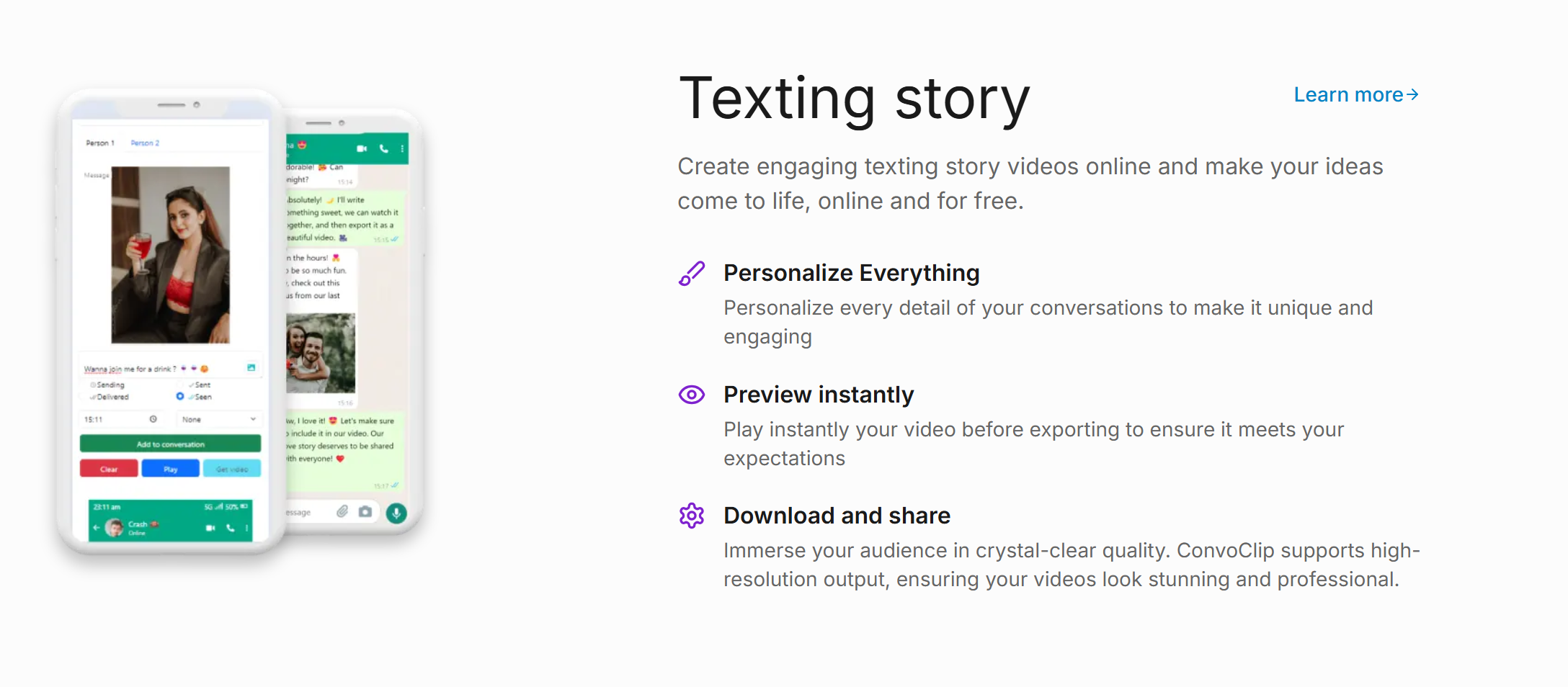
Convoclip vs Textingstory: A practical comparison for creating chat-style posts
In the world of AI-assisted storytelling and fake chat conversations, two players often come up: Convoclip and Textingstory.com. If you’ve ever toyed with the idea of making realistic chat-style narratives for blogs, social posts, or marketing campaigns, you’ve probably asked, which platform should I use? This post breaks down what each service does, where they shine, and practical tips to help you decide which fits your needs.
Quick context: what are we comparing?
Convoclip and Textingstory.com both aim to help you create simulated chat conversations. They offer interfaces, templates, and media options designed to mimic real messaging apps. They’re used by educators, marketers, writers, and creators who want to illustrate dialogue in a visual, easy-to-consume way. While the core idea is similar, the execution, customization options, and content policies differ in meaningful ways.
This article is written for English-speaking readers in the United States and aims to be direct, practical, and non-verbose. We’ll cover essential features, pricing vibes, ease of use, content controls, and what to expect from each tool when you’re working on a 1000–1500 word post or a rapid social media campaign.
1) Core capabilities: what you can build with each tool
- Convoclip focuses on quick creation of chat-like visuals that resemble familiar messaging apps. Many users rely on Convoclip for concise, punchy dialogue visuals, especially in blog post openers, social graphics, and case studies. If you want punchy lines, quick scenes, and clean typography, Convoclip tends to excel at that cadence.
- Textingstory.com emphasizes longer, story-forward examples, with a library feel that nudges users toward longer narratives and more elaborate dialogue. It often offers flows that can resemble an actual “story told through messages,” which is great if your piece is exploring a scenario in depth or teaching a process via a chat-based narrative.
In practical terms, if your piece is a side-by-side comparison with snappier visuals, Convoclip may edge ahead. If your blog leans into longer, narrative-driven examples to illustrate a point, Textingstory.com could be the better fit.
2) User interface and ease of use
- Convoclip generally prioritizes speed and simple templates. You’ll typically find a more streamlined set of controls focused on producing a clean, share-ready image or short clip.
- Textingstory.com tends to offer a slightly deeper template pool and more pathways to narrate a longer conversation. If you want a longer, more involved chat story integrated into your post, you’ll encounter options that support pacing and scene progression.
If you’re writing a 1000–1500 word article, think about your story’s arc. Do you need a short hook (Convoclip), or a longer narrative arc (Textingstory.com)? Your choice will influence both the tone of your post and the visuals you generate to accompany it.
3) Content policies and safety: keeping it ethical
Both platforms can be used to craft realistic-feeling chats that resemble private messages. It’s important to use these tools responsibly:
- Clearly label any fictional or stock content as such to avoid implying real conversations.
- Avoid misusing names, brands, or real individuals without consent.
- If you depict sensitive topics, provide context and space for readers to interpret the material.
When writers use “fake chat” formats, a transparent framing helps readers understand the intent and reduces confusion about authenticity.
4) Customization and branding
- Convoclip offers clean, share-friendly visuals that can slot into blog headers, social cards, and thumbnails with minimal fuss. If your post uses quick visual cues and a consistent color palette, Convoclip’s templates can help maintain brand coherence.
- Textingstory.com lets you build longer narrative slides, which can be more immersive for a post that explores a scenario step by step. This can be useful for branding stories that want to show progression or a more cinematic chat experience.
For SEO, decide how much the visuals will carry your message versus the copy. Short, bold visuals pair well with snappy meta descriptions; longer chat stories pair with longer intros and detailed sections in the article.
5) Pricing and access: what to expect
Pricing models for these tools fluctuate and often include free tiers with paid upgrades for premium features like higher export quality, more templates, or commercial licenses. If you’re producing content for commercial use, double-check license terms to ensure your intended distribution is covered.
- If your workflow centers on rapid turnaround and simple visuals, Convoclip’s quick templates can be a time saver.
- If your workflow values narrative depth and longer chat flows, Textingstory.com’s options may save you time in drafting and formatting.
6) Practical tips for a 1000–1500 word post
- Start with a strong meta intro that signals your angle and includes target keywords naturally (Convoclip, Textingstory.com, fake chat, chat visuals).
- Use a side-by-side comparison structure to map features against needs. Readers appreciate clarity when deciding what to use for a blog post.
- Include real-world examples or mini-case studies. For instance, show how a short Convoclip-style opener can set the scene, followed by a Textingstory.com-style longer exchange that dives into the topic.
- End with a practical checklist: when to choose Convoclip, when to choose Textingstory.com, and how to combine both for maximum impact.
Final thoughts
Both Convoclip and Textingstory.com serve a similar purpose—making chat-style content easier to digest and visually appealing. Your choice should align with the story length you want to tell, the visuals you need, and how you want readers to navigate your piece. For a concise, punchy early hook, lean into Convoclip. For a more detailed, dialog-driven exploration, Textingstory.com offers advantages. And for many posts, a hybrid approach—starting with a Convoclip-style opening and following with Textingstory-style dialogue—can provide both instant engagement and deeper storytelling.